How to forecast
Predico exposes two complementary ways to submit forecasts. Both target the same challenges and feed the same scoring pipeline — they differ in cadence and operational effort. Pick the one that matches how your forecasting stack runs in production.
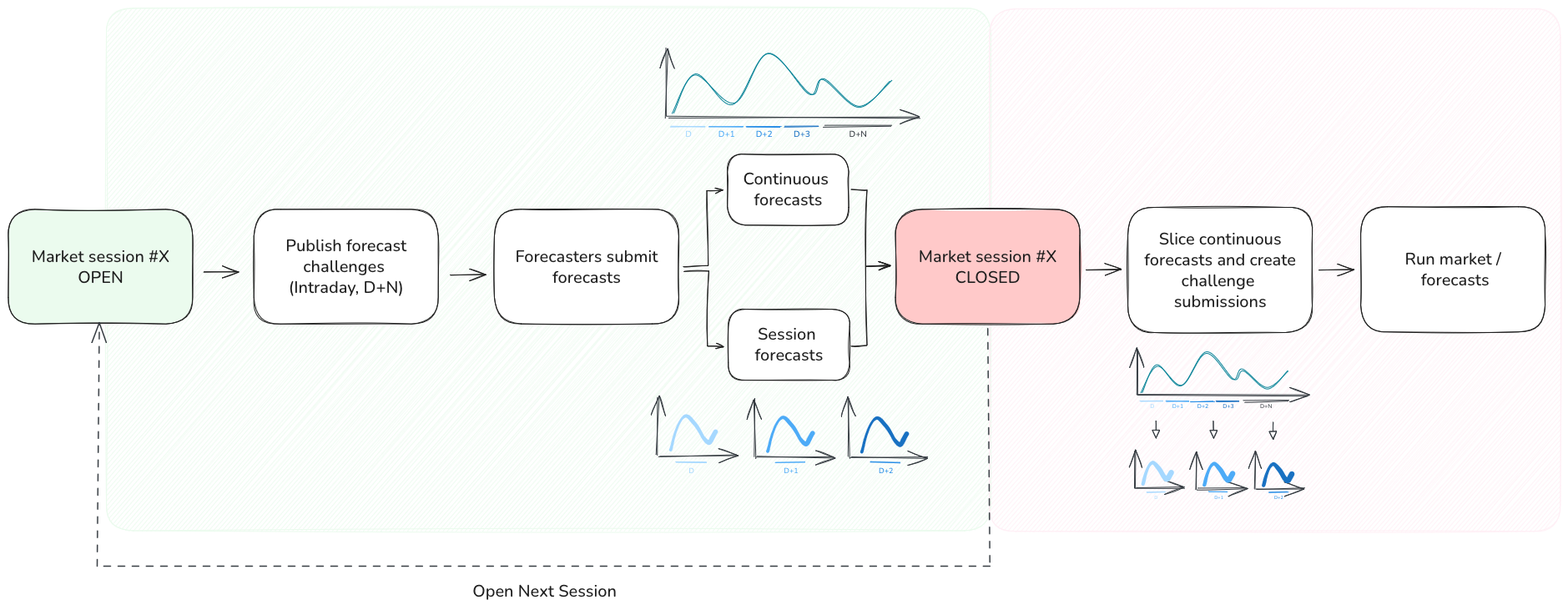
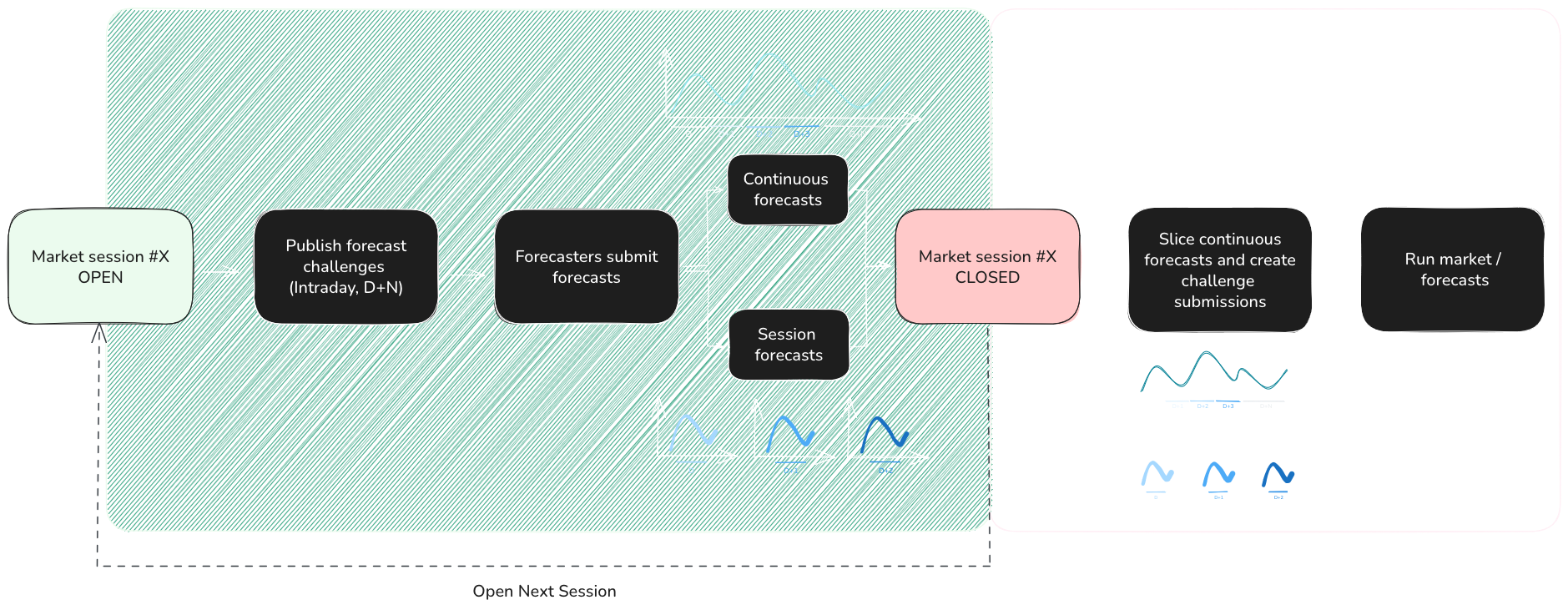
The two modes
- Session forecasts — one submission per challenge, posted before that challenge's gate closure. You react to each session as it opens, build a forecast for the published window, and submit it.
- Continuous forecasts — a rolling forecast series you maintain independently of sessions. The platform slices it into per-session submissions automatically as new challenges are published. See Preparing a Continuous Forecast.
When to use each
| Situation | Recommended mode |
|---|---|
| You already produce a rolling forecast (e.g. updated every 15 min / hourly) and want zero per-session work | Continuous |
| You build a bespoke forecast per session, possibly using session-time data | Session |
| You want a safety net that always has something in flight, even when your pipeline misses a session | Continuous (with optional session overrides on critical challenges) |
| You are experimenting, iterating on models, or only participate occasionally | Session |
Override rule
Important
A session forecast always overrides any continuous forecast that covers the same period.
This lets you treat continuous forecasts as a baseline and selectively replace them with a higher-effort, session-specific forecast whenever it's worth the work. There is no penalty for mixing the two modes only the final, effective submission is scored.
Practical recommendation
Most forecasters get the best results by running continuous forecasts as a default and layering session forecasts on top for the challenges where they have a clear edge (e.g. extreme-weather days, high-reward sessions, or horizons where their model is strongest). This minimises operational risk while preserving room to compete aggressively when it matters.